 Getting started with Claude · 60 min
magier · internal workshop · Wed 17 June
A 60-minute tour. What it is, the concepts that matter, and what you should build.
Scroll to begin ↓
01 · Mindset
It feels flat at first. Keep going, it compounds.
02 · The landscape
Three ways to use Claude. Same brain underneath, very different jobs.
03 · The concepts
The whole vocabulary, in four groups. We'll take them one at a time.
03 · Concepts
Context. The live working memory of one chat: the brief, the files, the back-and-forth. It has a ceiling.
When it fills up. Near the limit, quality drops. It compacts itself by summarising the old, or you clear it and start clean.
CLAUDE.md. Your standing rules and brand guidelines. It's a file, so it reloads into every new session.
Memory. Facts it keeps about you and the work, carried across sessions, separate from CLAUDE.md.
Each session starts fresh. What carries over is what you wrote down, and what it saved.
03 · Concepts
Skill. A saved recipe. Your best person's process, written once and reused every time.
Skill chain. One skill leading into the next, so quality compounds. You compose it in text, there's no button.
Rule of thumb. Anything you do more than twice is a candidate for a skill.
03 · Concepts
Four ways to plug Claude into the rest of your stack, easy to advanced.
Connector. The pre-built bridge to an app like Gmail, Drive, or Figma. Click to connect. The easiest start.
MCP. The open standard underneath. Lets Claude talk to any tool that speaks it. A little more setup.
API. Raw programmatic access to the model. For developers building products.
CLI. A command-line tool, like the ones Printing Press generates to wrap an API. For automation and builders.
Start with a connector. Reach for MCP when there isn't one. API and CLI are for when you're building.
03 · Concepts
Agent. A worker that takes action toward a goal, not just an answer.
Subagent. A specialist the main agent hands a piece to, with its own clean context. Several can run in parallel.
Autonomous. Runs on its own, on a server, around the clock, iterating without you. The frontier, for later.
04 · How to think about agents
The one model worth remembering.
Give all four and it runs. Miss one and it flails.
05 · What you can build
From simplest to most ambitious. For each one, something we've already built here.
05 · Layer I
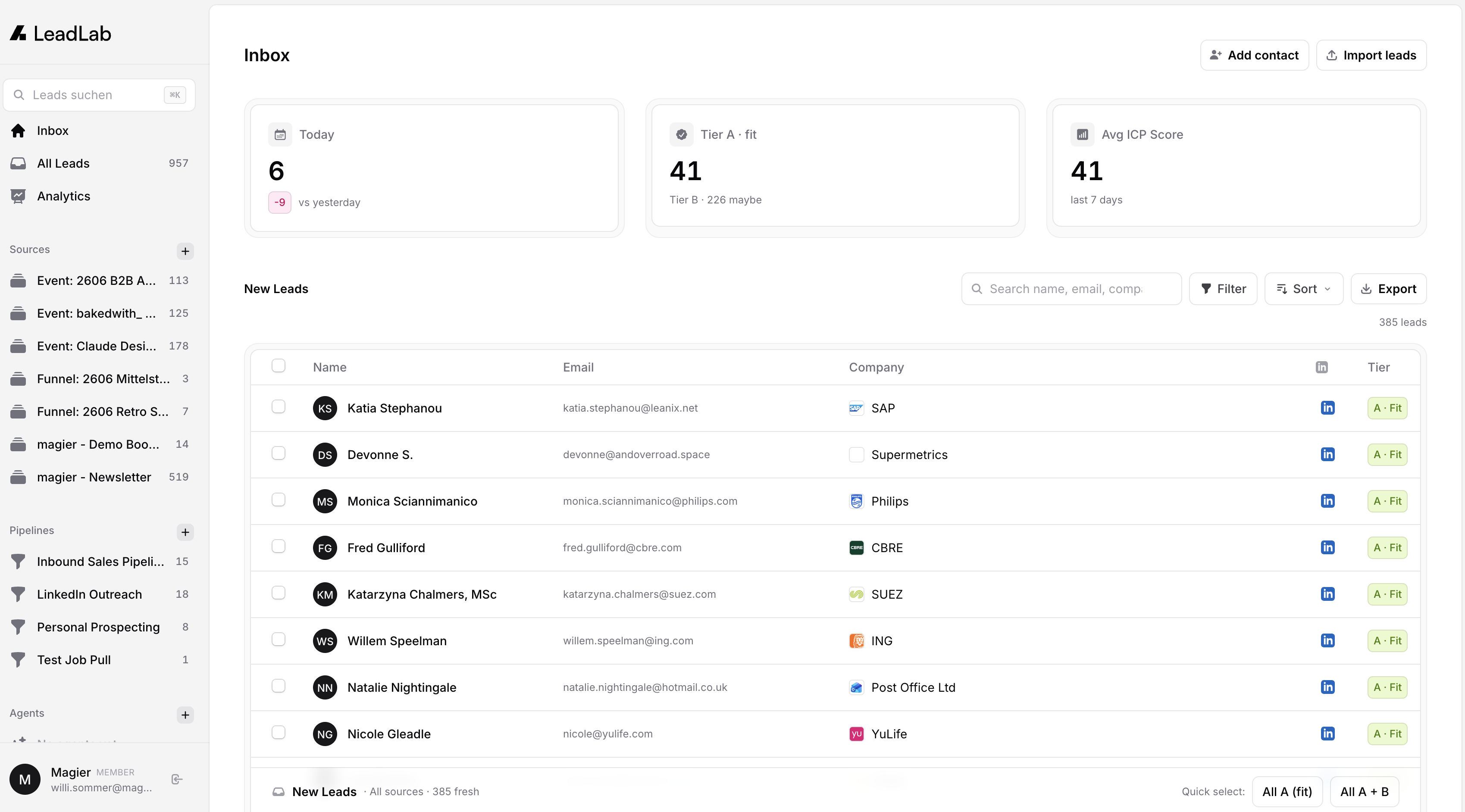
AI that helps you see. It pulls scattered info together into something you can act on.
LeadLab. Our internal tool scores every incoming lead on relevance, so we instantly see who's actually worth talking to.
05 · Layer II
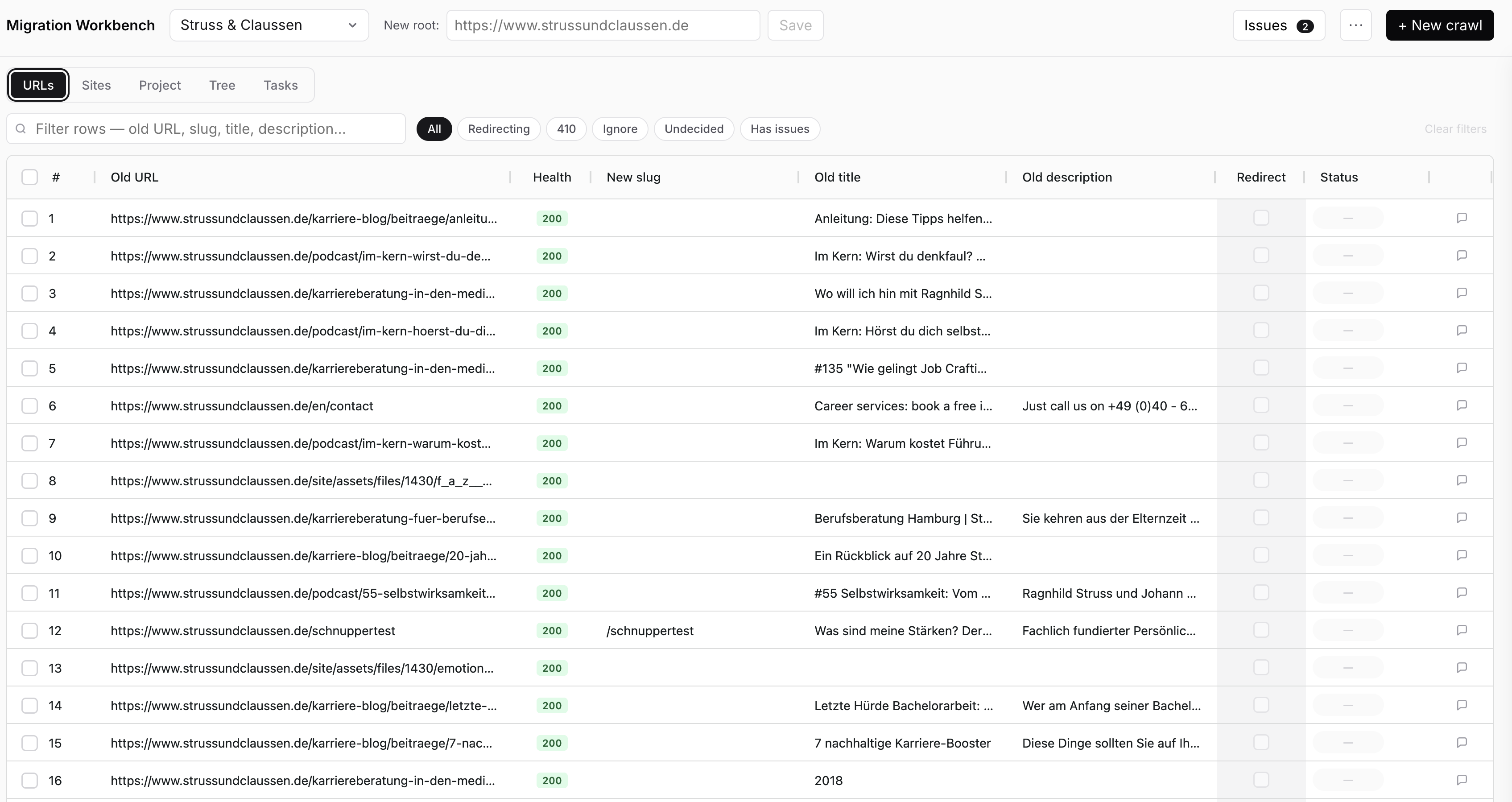
AI that does one bounded job on demand.
Migration Workbench. Maps every old URL to its new home during a site migration. The tedious redirect work, handled.
05 · Layer III
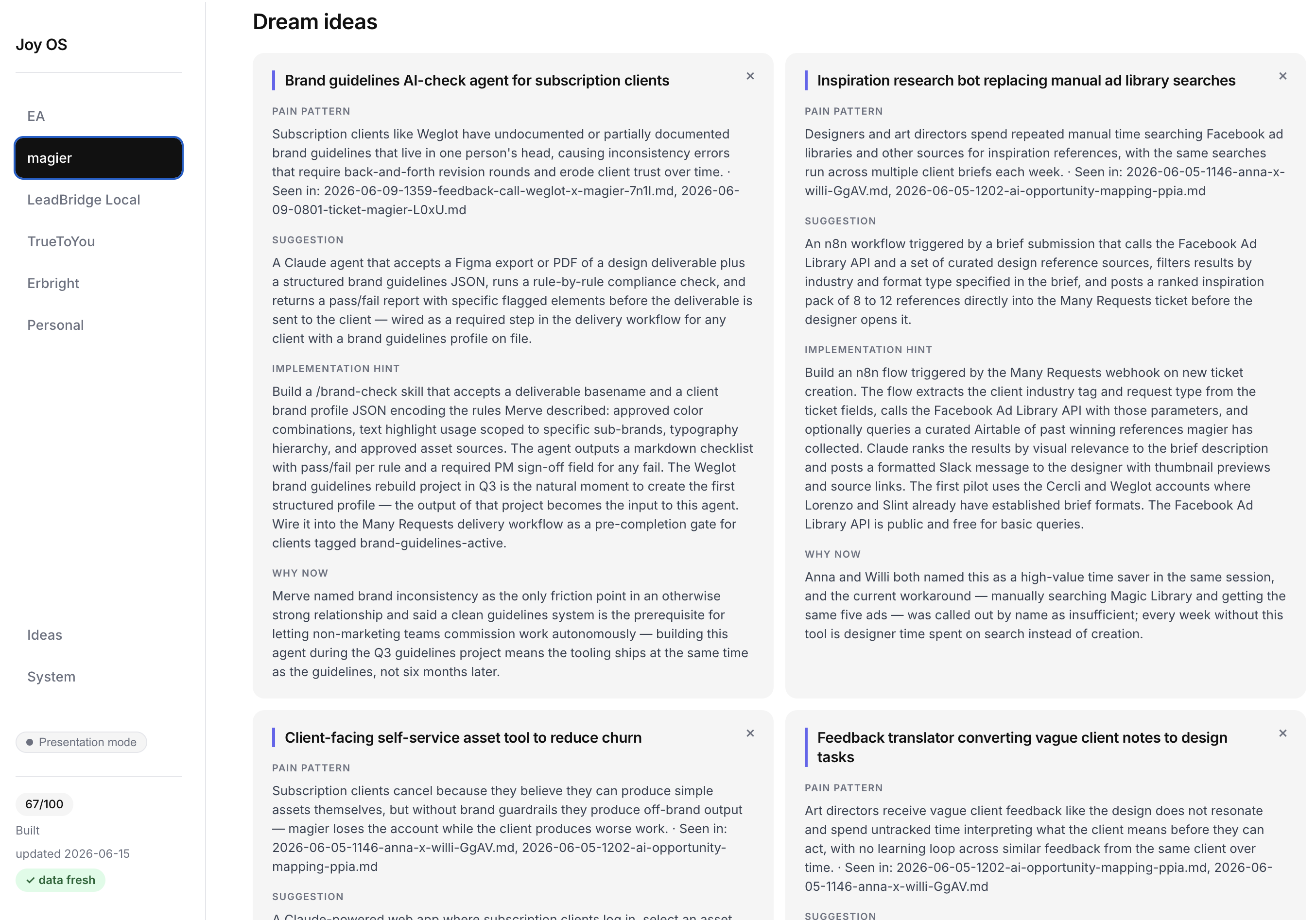
AI that runs on its own: scheduled, continuous, working while you sleep.
Joy. My own assistant. It's a mix of things, but the agent part shows here: a Dream Ideas tab that scans our meetings on its own and surfaces build ideas, unprompted.
05 · Layer IV
AI that makes the deliverable. One we're building now: a messaging engine, moving from a copywriter partnership into Claude.
06 · Using it responsibly
"Shadow IT" just means using tools the company hasn't vetted.
Client data in tools we haven't vetted.
Connectors with too much reach.
Everyone on their own accounts.
Shipping output without a review.
We're writing the rulebook. Gabriel and I are putting together a proper Shadow IT guideline.
07 · Getting started
A two-minute setup. Download it, then open it in the terminal, in VS Code, or as the desktop app. Whichever feels least scary.
code.claude.com/docs/en/quickstart
One thing to know. You'll need to sign in on the magier team account. Without it, it installs but won't run.
08 · First move
"Interview me. I want to give you as much context about me as you can hold, how I work, what I'm responsible for here, so you can help me at your best."
Paste that in on day one, then answer out loud instead of typing. You go into far more detail that way, and detail is the whole point. Ten minutes of this and it already knows you. That's your head start.
09 · Starter kit
One gives Claude discipline. The other gives it taste.
Once you're signed in: run /plugin, open the Discover tab, install both, then /reload-plugins. Both ship in the default marketplace, so there's nothing to set up in between.
10 · Your turn
Look at your own work through the four layers. Jot one answer to each.
11 · The one to remember
"I want to achieve X. What's the best way? What are the limits? What edge cases should we consider?"
The most powerful move with Claude isn't telling it what to do, it's asking. The more you ask, the deeper it digs and the more you understand. The judgment stays yours, and good judgment comes from good questions. That takes practice.
12 · To take with you
Thanks for sticking with the flat part